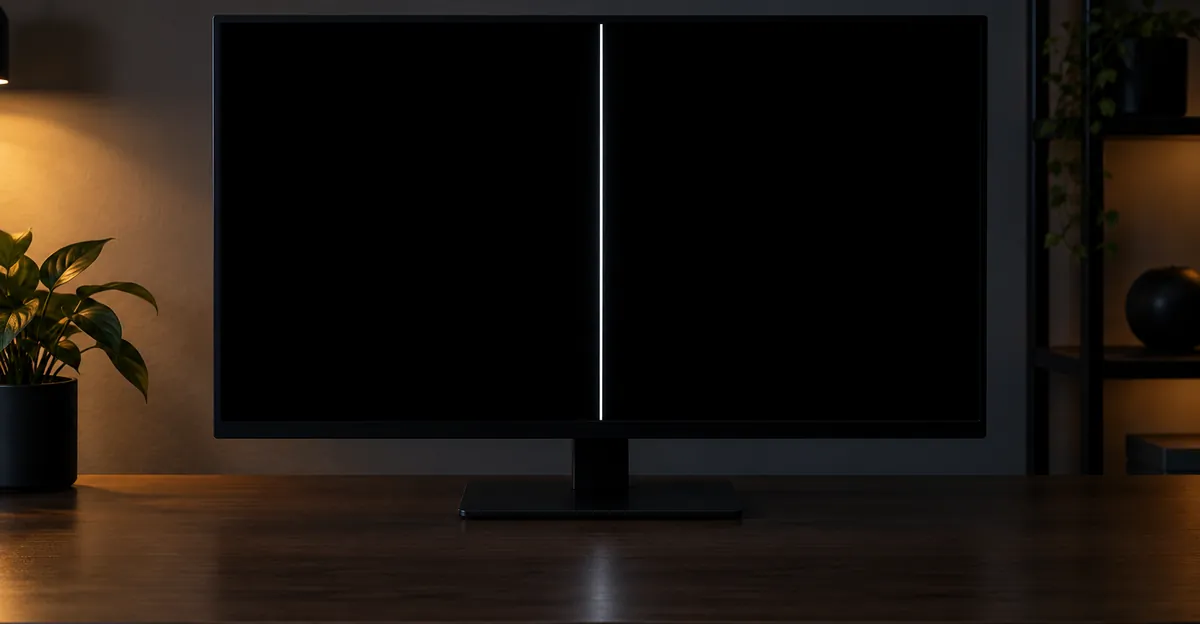
A white line on a black screen is a strip held bright while the field around it is dark. The same mark gets called a white stripe, a streak, or a bar. Width and direction change the fault, and so does the device in front of you.
Support pages already tell you to reseat the cable and to open the monitor menu or the TV picture test. This guide starts where those pages stop. It separates a line that exists only on black from a line on every color, a single thin line from a band, and a drop or a wet phone from a line that showed up after an update.
What a White Line on a Black Screen Actually Is
A white line on a black screen is not a dead row. A dead row stays dark because those pixels make no light. A white line is the opposite state: that column or row is driven on, so it glows against a dark page, a dark video, or the black you see before a logo at startup.
People search the same defect under several names. A thin white line on a black screen is one column or one row. A white stripe, streak, or bar is a wider group of columns or rows that failed together. The name does not change the test. The width does change how many drivers are involved, which matters later when a TV has one hairline versus a band across half the picture.
Stuck fully on versus a backlight streak
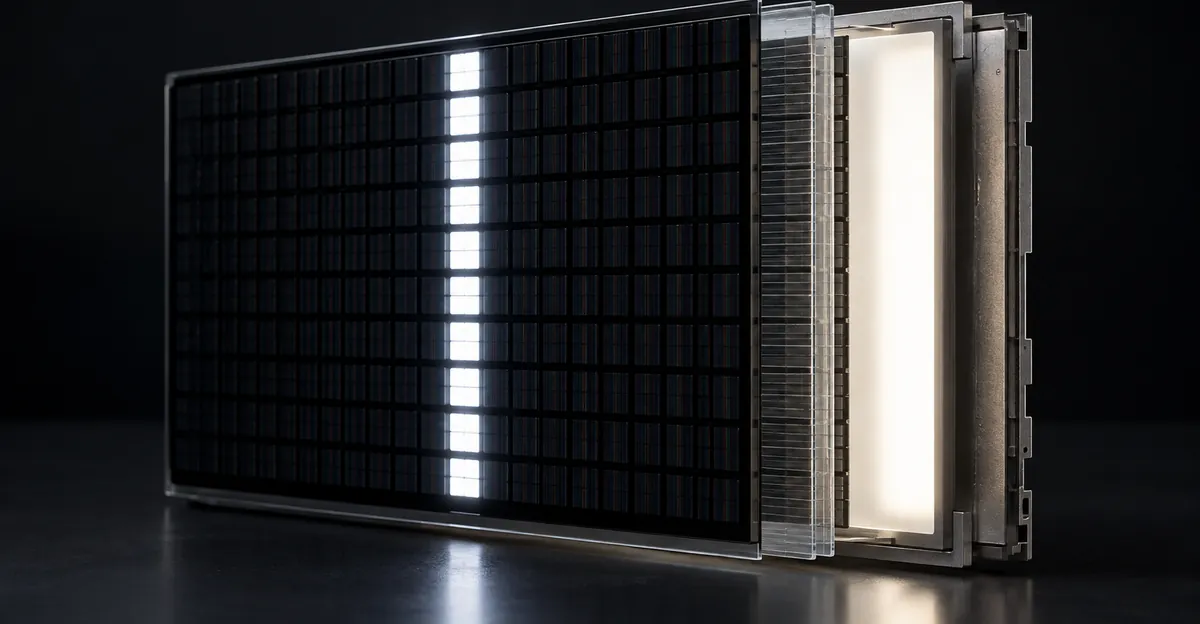
On an LCD monitor, laptop, or LCD TV, two different parts can draw a bright line on black. The liquid-crystal column can be held open, so light from the backlight passes through that line no matter what the image asked for. Or the backlight and the light guide can dump extra light into a streak while the pixels in front of it are trying to close. Both look white on a dark field. They do not behave the same way once you leave black.
On an OLED phone, OLED laptop, or OLED TV there is no backlight sheet. Black is those pixels switched off. A white line on that black is those pixels emitting. Android Authority, writing about the green-line failures that cluster on AMOLED phones, says the shared trait in the reports is the OLED panel, and that they had not been seeing that pattern on LCD phones. A white line on an LCD can still be a column or a light-guide streak. Treating every black-field line as "the OLED disease" sends an LCD monitor owner to the wrong repair.
Sony's TV picture guide keeps a related split. Lines that appear in the HOME menu are handled as a possible set fault. A cloudy white shadow or bright spots that show when there is no input, or only in very dark scenes, is a different article in the same guide. A soft bright patch on a night scene is not automatically a stuck column.
A spot is not a line
A white spot is a small area, often round, where light leaks or a few pixels stick. Samsung's Galaxy damage page describes round black spots or ink-like marks from pressure, and says those marks can spread even when the outer glass is not cracked. A line runs from one edge of the active picture toward the other, or it stops at a bond near one edge. If the mark does not cross the screen as a straight strip, you are not looking at a column or row fault, and the tests below will waste a repair visit.
What Vertical, Horizontal, and Border Lines Tell You
Direction is the first sort, before any brand name. A white vertical line on a screen runs from top to bottom. A white horizontal line on a screen runs from left to right. A white line across the screen is the horizontal case. A white line down the middle of the screen is still one column or one row. The middle is not a separate circuit. It only feels special because it cuts the picture you are trying to read.
iFixit, in its television line guide, uses that direction once the picture test has already failed. Vertical lines, especially bands or bars over the whole screen, are more often tied to the timing controller, the T-con board. Horizontal lines are more often tied to the LCD panel. One or two lines, vertical or horizontal, point at a bond on the panel rather than a board whose failure usually spreads across a large area. A vertical failure that covers only half the screen is called out separately, because many T-con boards have two feeds into the panel, and one feed can die.
A white border line on a black screen needs one extra check before you accept the bond story. LG's guide to lines and dots on a TV says an incorrect aspect ratio can put lines along the edges. The fix they publish is to set the ratio to 16:9 or Original, not to replace the panel. A border that is still there inside the picture test is no longer a scaling line. On a phone, Samsung says impact lines show up especially around the edges, so an edge line after a drop is a damage report, not an aspect-ratio setting.
| What you see | What it points to | What it does not prove |
|---|---|---|
| Thin vertical line, top to bottom, fixed in place | One column held on, or a broken column contact | That the whole panel is scrap |
| Thin horizontal line, left to right | One row. On a TV, iFixit leans to the panel rather than a T-con that paints the whole screen | That a new HDMI cable will move it |
| Line only along the left, right, top, or bottom edge | On an LG TV, a wrong aspect ratio can draw edge lines. A line that stays in the picture test is a bond at that edge | That every border is a crack |
| Line down the middle | The same single column or row. The middle is not its own part | That the hinge cable is the cause |
| Several lines, or a band on one half | On a TV, half-screen vertical lines fit one of the two T-con feeds. Widely spread vertical lines fit the T-con | That one hairline has the same repair |
| White stripe, streak, or bar | A wider group of columns or rows that failed together | A different disease from a thin line |
A flashing or blinking white line is not a third direction. It is the same line losing and regaining drive. Samsung's TV page asks first whether the lines move or stay put. Lines that sway are sent to the HDMI source. ViewSonic's monitor page says a line that flickers or changes when you press the bezel gently is physical damage to the panel, not a setting. Hold those two observations apart. A line that crawls with the video is a signal. A line that stays in one pixel column and only blinks when the frame is touched is a contact.
Left, right, top, and bottom matter most at the end of the line, not as four different products. iFixit says a few vertical lines are probed at the top and bottom edges in line with their ends, and a few horizontal lines at the left and right edges. That is where the panel bond sits. It is also why a line that starts at the bezel and fades before the far side is a worse match for "the whole column driver died" than a line that is equally bright from edge to edge.
Why the Next Test Depends on the Device
The shared advice is real, and it is short. ViewSonic tells monitor owners to open the on-screen menu. Lines drawn over that menu mean the panel hardware. Lines that are not on the menu mean the cable, the GPU, or the PC. Dell's line section adds the self-test with the video cables unplugged: if the lines are there with no computer attached, Dell says to contact support and discuss repair or replacement under the warranty. That result is the panel, not another driver. LG, Samsung, and Sony tell TV owners to run a picture test or to look at the menu, then to blame the set only if the line is inside that test.
Those steps are the floor. They do not tell a phone owner, a laptop owner, and a TV owner to do the same next thing, because the part that draws the menu is not the same part.
Menu, picture test, and a second screen
On a desktop monitor or a PC display, the menu is drawn by the monitor, not by Windows. That is why ViewSonic's menu test beats swapping HDMI cables as a first move. If the menu is clean, then a different cable, a different port, and a second computer are the useful checks. Dell's black-screen section, which is a different symptom from a white line, notes that a cable plugged into the motherboard port instead of the graphics card is a common way to get no signal at startup. Use that only when the screen is black and empty. A white line that remains after the cable is on the graphics card is not "the wrong port."
On a laptop, MacBook, or Chromebook, you do not have a separate monitor menu for the internal panel. The matching test is an external display. If the external screen is clean and the line stays on the lid, the fault is in that panel or in the cable that runs through the hinge. If the external screen shows the same line, you are looking at the computer, not the panel. That is the same split ViewSonic uses when it says to try another computer. Nothing in the fetched monitor guides makes a MacBook or a Chromebook a special white-line model. The lid test is the difference.
On a phone the menu is drawn on the same panel you are worried about, so a settings screen cannot clear the panel. Android Authority's line guide, updated in March 2025, says to restart once. That only rules software out. A line that is still there is treated as a damaged display assembly, white or any other color, and the repair they name is replacement, sometimes including the board. A second screen, if you can cast or use a wired output, answers the same question an external monitor answers on a laptop. White horizontal lines on a phone are the row case of this, not a separate disease. The Android-specific sort is Android screen lines.
On a TV, use the set's own test before you buy a cable.
- Samsung Australia lists Picture Test under Self Diagnosis. On 2026 models the path is Settings, Support, Device Care, Self Diagnosis, Picture Test. Older years use a shorter path. The page says menus vary by country.
- LG USA, in a guide updated 21 September 2026, uses Screen Self-Diagnosis on webOS 6 and later, and Picture Test on older sets. A normal test image means check HDMI and the external box. Lines inside the test image mean the TV should be inspected. The same page says to turn HDMI Deep Color off on an input whose device does not support it, because that mismatch can add lines, flicker, or color noise.
- Sony says to press HOME. Lines in the menu can be the TV, after a restart and Self Diagnostics. Lines that are not in the menu are the broadcast, the cable box, or the player. The basic checkpoints are a firm cable, a spare cable, another input, and another source device.
iFixit points owners of older sets to the software notes from Samsung, LG, and Vizio before anyone opens the back. That is an update check, not a claim that a Vizio menu uses Samsung's path. Hisense sets that include a picture test belong in the same split, using the path printed for that model. A projector is outside this list. The image is thrown by a lamp or a laser and a chip, not by a TV row driver. If the same white line is already on the source monitor, the projector is not the failed panel. If the source monitor is clean and only the projected image has the line, do not follow a T-con guide written for an LCD television.
OLED and LCD still share the menu test. They do not share the backlight explanation from the first section. An LG OLED that shows the line inside Screen Self-Diagnosis has a panel or board fault, not a light-guide streak, because there is no light guide. An LCD set can have either.
The hub for other line colors and directions on a computer display is the monitor lines guide. Use it when the mark is not specifically a bright line on a dark field. A stable white stripe on any wallpaper, not only black, is the white line family. Flickering noise instead of a solid stripe is white and static lines.
Only on Black, or on Every Color
This is the question the support pages leave open after they say "the panel failed" or "try another cable." A line that you notice only on a black screen can be a different part from a line that cuts white, red, green, and blue the same way.
Run the fields in order, in a dark room, and write down what you see. Black first, because that is where a white line on a black screen is defined. Then white. Then red, green, and blue. Then a gray ramp if the line is faint. On a monitor, do this after the menu test, not instead of it. On a TV, do it after Picture Test or the HOME menu. On a phone, restart first, then photograph each field.
Read the results this way.
- The line is missing from the monitor menu, the TV menu, or the picture test. Stop blaming the panel. ViewSonic, Dell, LG, Samsung, and Sony already agree that a clean built-in image means the cable, the source, or the computer. If the line showed up on a PC after an update and the menu is clean, Dell's line section says to restart the graphics driver with Windows, Ctrl, Shift, and B, then roll the driver back if a previous version exists.
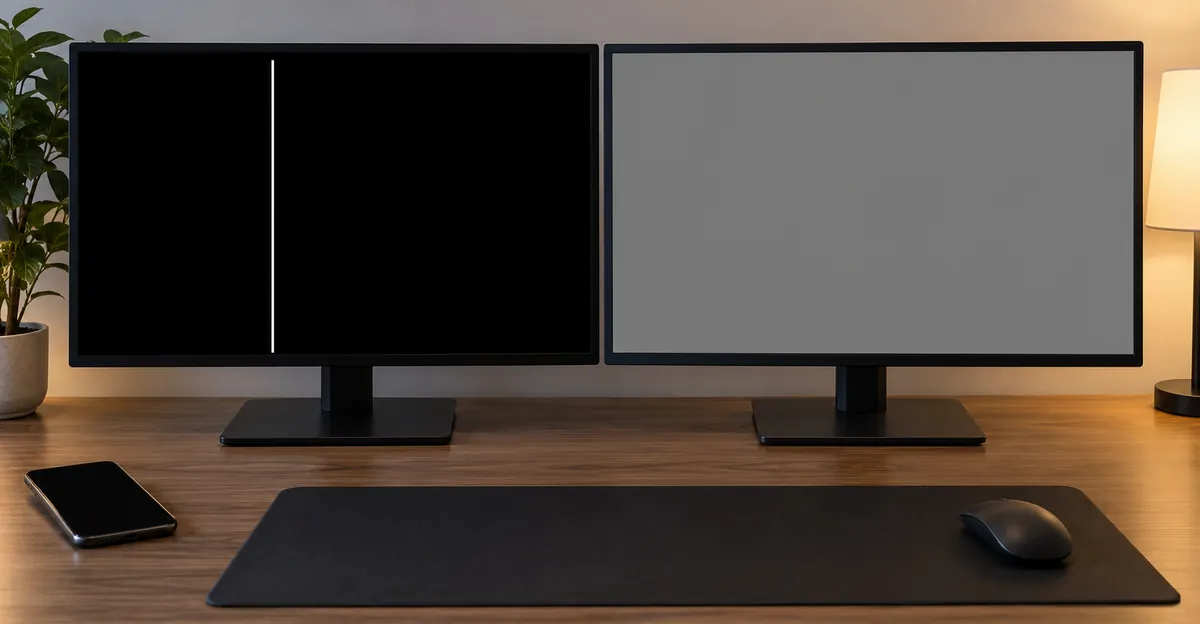
- The line is on the menu or the picture test, and it is also on black, red, green, and blue. That is a stuck row or column, or a bond, not a dark-scene trick. A pure white field can hide a line that is stuck at full white, so a clean white screen does not clear the panel.
- The line is obvious on black and on dark video, and the menu or a bright field looks even. On an LCD this is the backlight or light-guide case, the one Sony files separately as a bright patch in dark scenes. On OLED it is still emitting pixels, because black is off. Do not call an OLED streak "backlight bleed."
- The phone's screenshot, opened on another device, has no line, but a photo of the glass does. The phone composed a clean frame. The panel added the streak. That is the phone version of ViewSonic's menu test, and it is the step the "just replace the screen" articles skip.
- The screenshot contains the line. The phone or the computer drew it. That is uncommon next to a crack or a drop, and it is the only phone case where another restart or a software check still earns its time. Android Authority allows a software exception mainly for experimental graphics drivers on a custom ROM, not for a normal update on a stock phone.
Boot and startup belong in this same split. A black screen with a white line during the monitor's own self-test, cables unplugged, is the panel, in Dell's words. A white line that appears only after the operating system loads, with a clean picture in the firmware or the monitor menu, follows the driver path above. If the whole display is black and the only thing left is one white line, including on a laptop at startup, use the guide to a black screen with a white line. That page is the cable and timing-board case. This page is the line you can still see against a picture.
Keep the photos even when the answer already feels obvious. A warranty desk and a shop both ask whether the line was in the set's own test. A screenshot that is clean, paired with a photo that is not, is the evidence a phone visit needs. A photo of only a dark wallpaper is weaker, because a stuck white line and a backlight streak can look alike until you show white and the primary colors.
After a Drop, Water, or a Software Update
The line's history changes who should pay, and whether you should keep powering the device. It does not change the pixel test above.
Samsung's US page on a cracked or damaged Galaxy screen says a drop or a strong hit can crack the glass, leave black spots, or produce abnormal lines. Lines and odd colors are described especially around the edges, and vertical or horizontal lines can cross part of the screen. The repair they recommend is a display repair at a Samsung service center or an authorized shop. They also note Samsung Premium Care as accidental-damage cover with a deductible, under that plan's terms. The standard limited warranty is a different thing.
Android Authority's March 2025 line article is blunter about cause. In the reports they reviewed, vertical and horizontal lines usually follow water, a drop, or other mishandling, and the line may not appear at the moment of the impact. Pressure or a bend can do it. A drop can do it while the outside still looks fine. Water damage includes a dunk and also condensation, and they warn that turning a wet phone on can short the circuits that then show up as lines. Prolonged heat, such as wireless charging in a hot car, is listed as a rarer path. In all of those, they call the display assembly physically damaged, and they say a normal owner cannot clear it in software.
If the phone is wet, stop the color test. Powering it on to "see if the line is still there" is the step that article says can short the board. Dry-out and corrosion timing are covered in the water damage guide. Do not open the phone to look, and do not put it on a charger to confirm the line.
A drop with dry glass is the opposite order. Photograph the line on black and on a light field the same day, including the edges, because Samsung says edge lines and spreading black spots are part of impact damage. Then restart once. If the line remains, the visit is a screen replacement, and you should expect the drop to be treated as accidental damage. Android Authority says the standard warranty usually does not cover that, while AppleCare+ can, with a fee. Back the phone up before you hand it over. They also say some repairs pull in the motherboard, so ask the shop to say whether the quote is the display only.
A Samsung update is not a white-line setting
Search interest lumps "white line after a Samsung update" together with the green-line complaints. The reporting does not support a software switch that paints a white column.
Channel NewsAsia, on 21 November 2024, reported the Consumer Association of Singapore. CASE had 31 complaints about lines on phone screens as of 14 November 2024, against 14 in all of 2023 and 4 in 2022. Of 49 complaints over three years, all but one named Samsung, and the other named OnePlus. CASE president Melvin Yong said that besides green lines, some people reported pink or white lines. The consumers generally said the vertical lines appeared after a software update. Samsung's response to CNA was that customers should visit an authorized service center. The article, citing Android Authority, says a phone still under warranty with no visible external or water damage is the case where a free repair is likely.
Android Authority's July 2025 green-line article is the mechanism behind that pattern, and it refuses the "the update did it" conclusion. The reports cross Samsung, OnePlus, OPPO, realme, vivo, iQOO, Xiaomi, Motorola, Nothing, Huawei, and Apple, which is too many codebases for one patch to be the cause. The common thread they name is an AMOLED panel, often one to two years old and out of warranty, more often in heat and humidity. Their best guess is a loose or damaged display connector that then damages the panel. A software update heats the phone more than idle use, and that heat might speed the failure. They also say the heat story is incomplete, because ordinary gaming heat does not match the reports. Newer 2024 panels were said by their industry sources to include mitigations, and they were hearing fewer reports on newer models in 2025, with the caveat that this could be recency.
What you do with a white line after an update follows from that, not from a secret menu.
- Restart once. If the line is gone and stays gone, Channel NewsAsia's cited guides treat it as software. Stop.
- If a photo of the glass still shows the line, you are in the hardware group, even if the update finished an hour earlier. Rolling the update back does not repair a connector.
- If the line is green, or if green, pink, and white lines are multiplying, read the green line guide. Android Authority says most reports start as one green line, the count usually rises, and pink or white can show up beside it. A lone white line on an LCD laptop is not that AMOLED pattern.
- Free replacement programs that shops have offered, including the India programs reported for Samsung and OnePlus, were described as failing when the phone had physical or liquid damage, even if that damage did not cause the line. Do not discover a drop photo later. Tell the desk what happened.
- Do not heat the phone with a flame. Android Authority says viral lighter videos risk the battery, especially on an older phone, and do not fix the panel.
A monitor or a Windows laptop that gained a line only after a graphics update is the one update case Dell actually writes a software step for, and only after the menu or the self-test has cleared the panel. A Galaxy update and a Dell driver rollback are not the same repair.
One Thin Line, Several Lines, or a Flashing Line
Once the menu, the picture test, or the phone photo says the display itself is drawing the line, "replace the screen" is still too coarse. The count and the blink change whether a board is even a candidate.
| Pattern after the built-in test has failed | The decision it forces | Why waiting is the wrong plan |
|---|---|---|
| One thin white line, fixed, equal along its length | Panel column, panel row, or a single bond. iFixit does not treat one or two lines as a T-con failure | A new T-con will not move a bond. On a phone there is no separate T-con to buy |
| A band, or many vertical lines, across most of the TV | T-con is a plausible, cheaper board, if the set still has a separate one | Opening the set voids the path iFixit says to stop on while warranty is live |
| Vertical lines on only half the TV | One of the two panel feeds from the T-con, or that cable | A full panel quote is premature until that feed is checked, out of warranty |
| Lines only in irregular spots, not on half the screen or more | iFixit says this is a poor match for the T-con, which tends to fail across a wide area | Do not buy the board on a single speckled photo |
| Line flickers when the bezel or the lid is pressed, and stays in one place otherwise | ViewSonic calls bezel-sensitive flicker physical panel damage. A lid that changes a laptop line is the hinge cable | It can become a solid line. That window closes |
| New lines appear over days, or a phone line gains pink and white neighbors | Android Authority says the green-line count usually increases. Samsung says pressure spots can spread | Back up, then repair. More lines do not mean a software bug finally woke up |
If the line sways or crawls and the TV menu is clean, you are not in this table. Samsung sends swaying lines back to the input, and a panel quote will not fix a source that is still drawing the line.
A temporary line and a permanent line are decided by that table, not by hope. Android Authority says a flickering green line can be temporary in rarer reports, and that the great majority of the reports they reviewed were permanent. Apply the same bar to a white line. Gone after one restart, and absent from a later photo, is temporary. Present the next day, in the same pixels, on a solid black field and in the menu or the picture test, is permanent. It will not bleach out.
If the set or the phone is under warranty, the decision is also to stop. iFixit says that once the cheap external checks have failed, a warranted TV should go to the maker rather than come apart on a table. Pressing bonds, heating flex cables, and reseating internal ribbons are the steps that turn a covered repair into a damaged return. ViewSonic's bezel note is a light touch to see whether the line changes, not a repair. If it changes, you have learned it is physical, and you book the visit with that sentence in the ticket.
Multiple lines are not "a worse version of one line" in every device. On a phone, Android Authority still ends at display replacement whether you see one stripe or several. The count matters because a spreading pattern is the sign to stop waiting, and because a shop that quotes a board plus a display should be able to say which photo shows the second fault. On a TV, the count is the difference between a bond and a T-con, which is the only place in this symptom where a part cheaper than the panel is a serious candidate. On a monitor, Dell and ViewSonic do not offer that board-level split in the public line articles. If the self-test shows the line, they send you to service. Do not import a television T-con story onto a monitor that has not been opened and identified.
A single line on the left and a single line on the right are still two bonds or two columns, not a requirement to replace both halves. Note the positions in the photos. A line that is only on the left edge and disappears when an LG TV is set to 16:9 was never a second column.
Can It Be Fixed, Will It Go Away, and What It Costs
Yes, some white lines are fixable without a new panel. No, the permanent ones do not fade. The bill depends on which row of the table above you landed in, and the published numbers are easy to misread.
A line that fails the "is it even the panel" test is the cheap group. A clean monitor menu, a clean TV picture test, or a phone screenshot that already contains the line means you are not buying glass yet. Cable, source device, input port, and on a PC the driver restart Dell prints, are the fixes. None of those have a labor charge if you already own a spare cable. This is the group people abandon too early because the line looks like hardware on a dark wallpaper.
On a phone, the opposite result is a display job. The screenshot is clean on another device, and a photo of the glass still shows the line. Android Authority says nothing the owner can do in software will clear it, and customer service is likely to price a display swap at 10 to 30 percent of that phone's selling price, more if other parts are damaged. Their quick answer also says to expect up to 30 percent for the swap. The range is a band, not a quote. Pixel, OnePlus, Samsung, and other Android models sit inside it only after the shop sees the phone. If the quote jumps because the board is included, ask them to tie that to a test, not to the word "line."
iPhone fees need the date and the product name. 9to5Mac, on 12 September 2025, reported Apple's out-of-warranty service fees for the phones announced that week. Front-screen service was $329 for the iPhone 17, iPhone Air, and iPhone 17 Pro, and $379 for the iPhone 17 Pro Max. With AppleCare+, a cracked screen was $29. Other damage was $599 on the iPhone 17, $699 on the iPhone Air, $749 on the iPhone 17 Pro, and $799 on the iPhone 17 Pro Max. Apple's wording, as quoted there, is that the one-year limited warranty covers manufacturing issues, and that a situation outside that cover is a fee, up to full replacement value if the phone is not eligible for service. A white line with intact glass is not automatically the cracked-screen line on that table. The inspection picks the row. Use the figures so a $700 quote does not surprise you, not as a coupon.
Will the white line on a phone go away by itself? Only the restart-cleared case has a source behind it. If the line is gone after that restart and a photo the next day is clean, leave it. If the line is in the photo, Android Authority's permanent-majority finding on the related AMOLED lines is the expectation to plan around. Waiting a week to see if a dropped phone "settles" is how a spreading spot, which Samsung says can grow, becomes a larger repair. A blinking line that moves when the laptop lid moves can go quiet and then lock on. That is the hinge-cable window, and it is not a promise that the line will vanish if you stop opening the lid.
Television money is the other trap. iFixit says a panel fault is usually not worth paying for out of warranty. The T-con is the less expensive board to try when vertical lines are widespread, and it is a bad purchase when you only have one or two lines. Many newer sets combine the T-con with the main board, which iFixit identifies by two ribbons running straight to the panel and no third board besides the power supply. In that set you are buying the large board, not a small timing card. No public page fetched here prints a universal T-con price, so this guide does not invent one. Get the quote against the price of a replacement set before the back comes off.
A monitor that fails Dell's unplugged self-test, or that draws the line through ViewSonic's menu, is a warranty conversation if the set is still covered, and a replace-versus-repair conversation if it is not. Shops that quote a panel for a thin white line on a cheap monitor are often describing a part that costs as much as another monitor. Ask for that comparison in writing. A laptop lid panel sits in the same economics, with the extra chance that a hinge cable, not the glass, is the part, which you only know if the line changes as the lid moves.
None of these prices include tax, shipping, or a shop that finds a second fault. None of them are a reason to open a covered device at home.
Related Guides
- Monitor Lines Hub: Other line colors and directions
- White Line on Screen: White lines on laptop, monitor, and phone
- Black Screen With White Line: The desktop is dead except for one bright stripe
- White and Static Lines: Flickering noise, not a solid column
- Green Line on Screen: Spreading AMOLED lines that start green
- White Horizontal Lines on a Phone: The phone row case
Conclusion
A white line on a black screen is a bright strip, a stripe, a streak, or a bar, and the next step is a sort, not a new panel by default. Check whether the monitor menu, the TV picture test, or a phone screenshot contains the line. Then check whether it survives white and the primary colors, or only black. Then read the history: a wet phone stays off, a drop is accidental damage, and a Samsung update does not erase a line that a photo still shows.
One thin fixed line is a column, a row, or a bond. A wide vertical band on a TV can be the T-con, if that board still exists on its own. A flashing line that moves when you touch the bezel is physical. A line that sways inside a clean TV menu is the source. A line that is gone after one restart can stay gone. A line that is in the same place the next day will not.
Photograph the black field, a light field, and the built-in test before you pay. Note the device, the edge or the middle, and whether the line is single or spreading. Then run a full-screen black, white, red, green, and blue pass with the screen test tool so the record matches what you told the shop.