Purple Lines on a MacBook Screen: What They Mean
Purple lines on a MacBook screen are a stripe, a set of bars, a flickering band, or a wash of purple that the rest of the picture does not explain. The same search covers a MacBook Pro, a MacBook Air, an iMac, and a spot that only shows up after the lid moves. Those are not one repair, and the color purple does not name the failed part.
Shop pages already tell you to connect a second display and to notice whether the lid angle changes the picture. This guide starts where those checks stop. It separates vertical bars that shift when you tilt the lid from a horizontal band that stays put, and it separates both from a purple spot that a second screen also shows.
What a Purple Line on a MacBook Screen Actually Is
Purple lines on a MacBook screen are not proof that the green sub-pixels died and left red and blue mixed together. No repair write-up fetched for this guide describes the fault that way. Setapp's line guide, updated 13 January 2025, says lines can be green, purple, black, yellow, or multicolored, and that the specifics of color and pattern do not by themselves decide the cause. The page sorts the causes into physical damage, hardware, and software. Purple is the word people type. It is not a diagnosis.
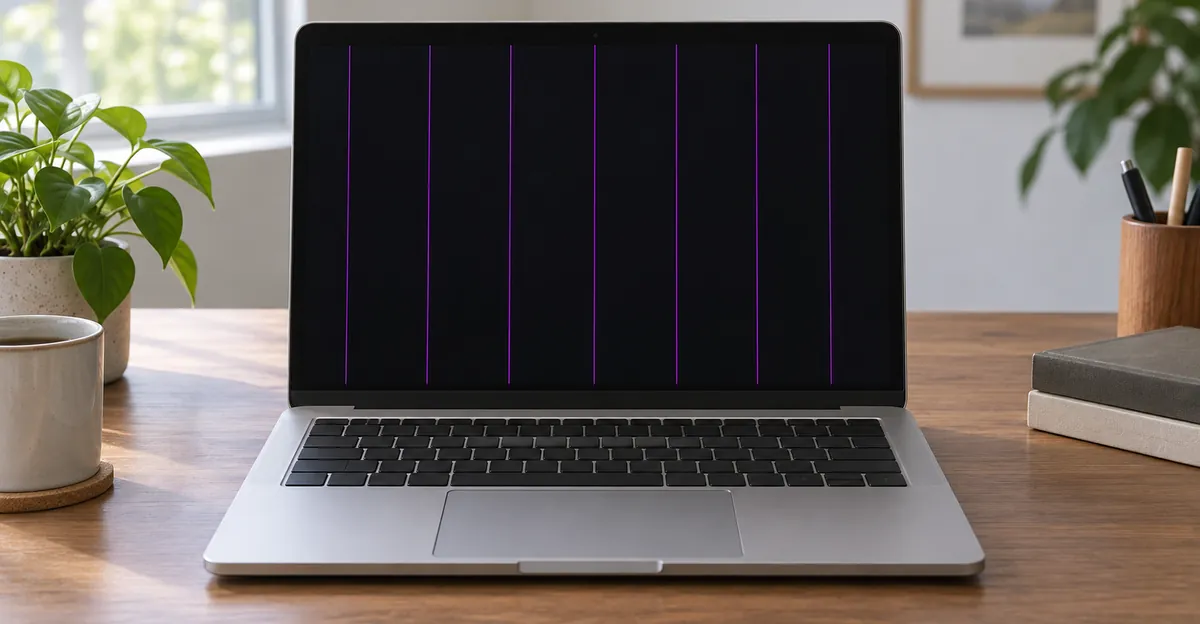
A hairline that stays in the same place on a white page, a black page, and a photograph is a column or a row of pixels that no longer follows the image. A single dead pixel is a dot. A line runs along an axis. Two purple lines that stay put are two of those columns or rows. They are not a separate Mac mode, and they are not automatically the repeating bar pattern that cable damage draws.
The bar pattern has a count. Repair Wiki's Dustgate page describes dust pinching a hole through the flex data cable between the timing controller and the LCD. The usual result is about six even vertical bars, and each bar is one image block of the screen. They are often pink, and they may change or flicker as the lid angle changes. The page is explicit that horizontal lines come from a damaged LCD or from traces on the glass, not from that bar pattern. A purple version of those bars is the same geometry with a different word in the search box.
A third picture is not a line in the glass at all. It is a region, or the whole panel, shifted toward purple while the menu bar and the windows are still there. Vividrepairs, updated 22 September 2026, treats a purple or pink patch that changes with lid angle as hinge-cable damage, and a patch that never moves as pressure on the panel. The test that splits a line from a patch is whether you can count an edge. A line has an axis. A blotch does not.
An iMac can show the same purple stripe, but it has no laptop hinge. Anything you read about a sweet spot at a certain opening angle does not apply to it. The second-display test still does. A desktop with lines on its own panel and a clean second screen is a panel problem. Lines on both screens are coming from the machine's video output.
One line, a bar pattern, or a wash
Count the marks before you name a part. One stable purple line that ignores the hinge is a column or a row until a single, gentle lid movement proves it moves. About six even vertical bars that shift together are Repair Wiki's image-block signature, even when the owner typed purple instead of pink. A wide purple field with no edge is a wash. If you photograph the glass and the wash is missing from a screenshot file opened on your phone, the Mac composed a clean frame and the panel path, or only one app's renderer, added the color afterward.
Two stable lines are still a count. They are not six blocks, and they are not a reason to quote a dust-in-the-hinge story before you have moved the lid once. A flicker that never hardens into a mark you can photograph on a cold white page belongs with screen flickering. Once the purple is still there on the login window, it has left that guide.
Vertical Purple Lines That Change With the Lid
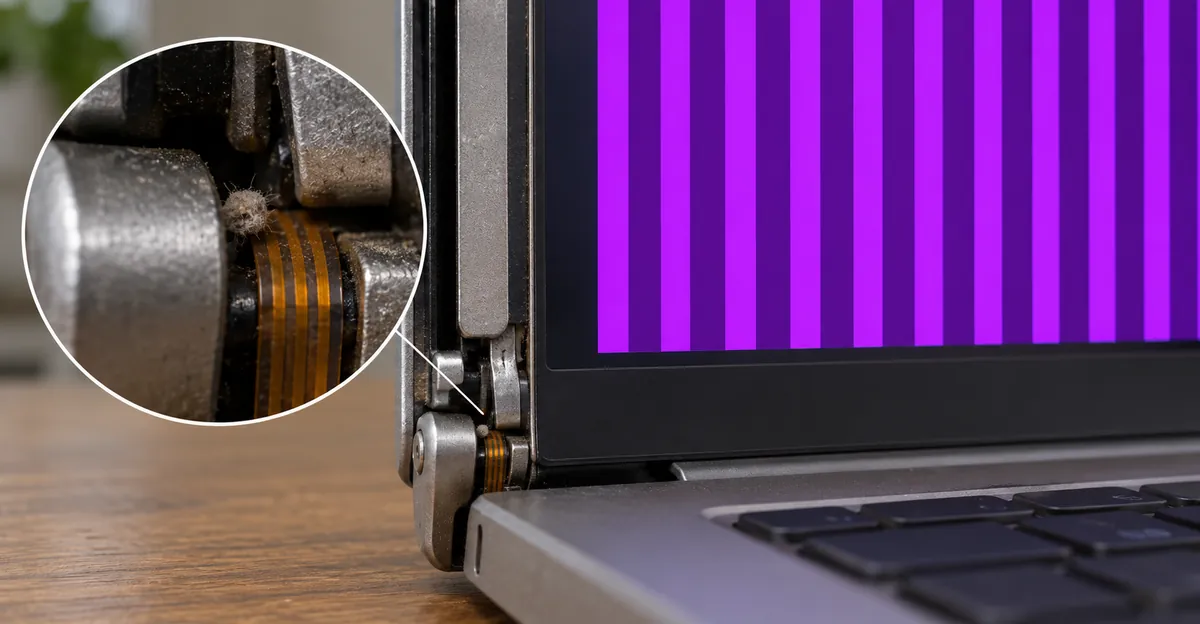
Purple vertical lines on a MacBook Pro are the picture TechRadar described on 15 November 2023. Dust and grit collect in the hinge gap. Opening and closing presses that grit into the screen flex cable. The damaged cable corrupts the image, and the purple lines show when the lid sits at some angles and disappear at a sweet spot. Stephan Steins of NotebookNerds told Forbes, as TechRadar reports it, that the shop was seeing several a week. Ricky Panesar of iCorrect told the same story at about four a week.
The models Panesar named are A1989, A2251, A2289, A2338, and A2141, with the 16-inch A2141 the worst of that list. Those are MacBook Pros from 2018 to 2020. TechRadar adds that 2016 and 2017 machines share the hinge and flex layout and could be hit as well, and that MacBook Pros from 2021 onward were described as not susceptible, because Apple had changed how the flex was protected. That 2021 line is a report about later Pros. It is not a free pass for every Apple silicon laptop, and A2338, the 13-inch M1 Pro from 2020, is on the named list.
iRepairs describes the same mechanism on the display design introduced from 2016-2017 onward. Dust and grit are pressed into the image-signal flex beside the hinge. The list is vertical lines in different colors, pink, purple, green, or black bands, a region with no image, flicker when the screen moves, and a picture that is stable at only some opening angles. The MacBook often looks perfect on an external monitor. They separate this from Flexgate on purpose. Flexgate is the backlight cable, a light band at the bottom, or a panel that cuts out as you open the lid. Dustgate is the image traces, colored lines and missing image.
MackTechs draws the same split and adds the case that is not Dustgate. If the MacBook Pro took a hit before the lines started, they treat it as LCD damage, not dust in the cable. They confirm Dustgate under a stereo microscope, because a damaged flex is easy to mistake for a cracked panel when you only look at the glass. Their shop sees the fault mainly on 2016 through 2020 Pros, with 2016 and 2017 taking the brunt, and they describe the picture as vertical bars, often with fine horizontal noise, or a moving static pattern, that shifts as the lid moves. Glass that is intact is part of that reading. A spiderweb crack is a different job.
| What you see | What changes it | What the pages name | What a quote is buying |
|---|---|---|---|
| Vertical purple bars, often several, sometimes with a sweet spot | Lid angle, including a temporary clear angle | Image-flex damage from dust at the hinge | A flex rebuild if the cable is still local, otherwise a panel or an assembly |
| About six even vertical bars, often described as pink | Lid angle | Repair Wiki's image blocks, one bar per block | The same cable decision, not a tint setting |
| One or two purple lines that stay put on every solid color and ignore the hinge | Nothing you do in software or with the lid | A column or a row, LCD or traces on the glass | A panel or assembly. Cooling will not erase it |
| Stage light, or a blank panel past a certain angle, with no colored lines | Lid angle, backlight only | Flexgate, the backlight cable | A different cable, usually an assembly. Do not buy it for purple image lines |
The sentence every shop page shares is that a bad built-in picture with a clean external monitor ends in a display repair. That sentence is only the starting point. It does not tell you whether the shop can rebuild the flex or whether the panel is already gone.
A sweet spot is not a fix
iRepairs says this fault often starts as a single line that appears when you move the screen and ends as a large loss of image. If the line appears or vanishes with angle, do not keep hunting a sweet spot and do not open and close the lid over and over. TechRadar's account of the iCorrect clip is the same observation from the outside. Most angles show the corruption. A few angles look normal. That temporary clear picture is evidence the panel can still draw, which is why a cable repair is even a conversation. It is also how the traces get worse.
MackTechs adds a prevention detail that belongs here, before anyone reaches for a can of air. Do not blow compressed air into the hinge. It pushes grit further into the flex. A microfiber cloth between the keyboard and the panel when the lid is shut keeps particles off that path. Vividrepairs makes the matching point about closing the lid on a grain, a cable, or a paperclip. Setapp's repair tech, Mike, has already tied a small object between the keyboard and the glass to panel damage with the glass still intact. One gentle tilt to see whether the bars move is the whole test. After that, leave the hinge alone.
Horizontal Purple Lines, Flicker, and a Screen Turning Purple
Purple horizontal lines on a MacBook get typed as the twin of the vertical bars. The pages that open these machines do not treat them as twins.
Repair Wiki is blunt. Horizontal lines come from a damaged LCD or from traces on the glass. They are not the six-block Dustgate signature. A horizontal purple band that ignores the hinge, and that is still there on a cold morning, belongs in that glass reading. Do not keep rebooting in the hope that a dead row will cool away.
The heat story is a different horizontal picture, and it showed up on a thread that people file under purple flicker. On 10 May 2021 an owner posted on iFixit about purple horizontal lines that flickered on the built-in display and never appeared on an external monitor. The title says a 2017 13-inch Touch Bar. The body names a 2018 13-inch MacBook Pro with four Thunderbolt ports, a 2.3 GHz Core i5, and Intel Iris Plus Graphics 655. Reboots and the usual reset key combinations had already failed.
Jon Williams' answer is the shared starting point. The fault is on the MacBook screen only, so he puts the LCD cable first, then a board, then the panel. He also says that a visible image means the backlight is fine. There is a known backlight-driver failure on many MacBooks. This thread is not that failure, because the owner can still see a picture. DanJ's comment is the part most roundups skip. On these Retina machines the signaling is digital. It works or it does not. He does not expect the partial ghosting people remember from older analog cables. His heat reading is that Apple moved the display's timing controller into the top case, where it cooks, especially with dusty fans, a cloth surface under the machine, or long hard use without the fans pushed. The part he linked is a late 2016-2017 13-inch display assembly listed at 349.99 dollars. Read that price as the part on that page, not as a labor quote, and notice the year mismatch. The answer points at a 2016-2017 assembly on a post whose body describes a 2018.
So a horizontal purple flicker that still contains a picture, on an Intel Pro of that generation, can be the hot controller DanJ describes. It can also be Repair Wiki's glass row if a night of cooling changes nothing. It is not, by itself, the vertical dust-bar pattern, and it is not a reason to quote Flexgate. Flexgate is the backlight. Williams already used the visible image to take the backlight off the list.
A hot band is not the dust pattern
Leave the Mac shut down overnight before you accept a heat story for horizontal lines. If the band is softer in the morning and returns only after another long export or a lap on a pillow, DanJ's early pattern fits, and a hard surface plus clear fans are part of living with it until the assembly is replaced. Setapp's own ceiling is 192 degrees Fahrenheit internal, measured with a sensor app, because macOS does not show that number. If the same horizontal lines are still there on a cold morning, on white and on black, the glass-trace reading fits better than the heat story. Dustgate's vertical bars do not heal overnight either. What they do is move when the lid moves. A horizontal band that ignores the hinge has already failed that test.
A screen turning purple is a third picture again. Vividrepairs separates a patch that intensifies when you open from about 90 degrees to 120 degrees, which they read as the hinge cable, from a fixed discoloration after pressure or a drop. A wash that covers the built-in panel and the external panel together is their GPU case. A wash that covers only the built-in panel, and that is already on the login window, is hardware in the display path. Do not call that wash a line, and do not call a line a wash, when you ask for the price.
Spots, Mixed Colors, and a Black Screen With Purple Lines
A small purple line on a MacBook screen and a purple spot get the same search and not the same part.
Vividrepairs' workshop split for a purple spot is lid angle, Safe Mode, and a second display. A spot that shifts, fades, or intensifies as the lid moves is the hinge cable. A spot that stays fixed is panel damage from pressure, a bag, or a drop, or it is the GPU if the second screen matches. They have seen marks that looked like cracked panels clear after a clean reboot, sometimes only on the third restart, and they warn that a software spot can come back after sleep. Liquid near the hinge is a separate history. Corrosion at the connector does not behave like a dust pinch, and they say to power the machine down if liquid got in, rather than waiting to see.
A purple mark the size of a pixel, with no axis, is a dot. Read it on white and on black. If it is one pixel and it never grows when you tilt the lid once, it stays in the dead-pixel guide. A short purple segment that runs with the pixel grid is a short line, not a spot, even when the owner calls it a mark.
Blue and purple lines on a MacBook, or purple and green lines, are one of the ways this search gets described, and they are easy to file as two diseases. iRepairs puts pink, purple, green, and black bands on the same image-flex list as vertical lines. A second color beside purple does not mean two faults when the marks move together as you tilt the lid once. A blue line that is the only color, and that you are pricing on its own, belongs in the blue-line guide. A green line painted on the desktop, the menu bar, and a photograph belongs in the green-line guide. When purple and green bars shift together with the hinge, you are still in this guide, and you are still buying one image path.
When the panel is mostly black
A MacBook black screen with purple lines is the late picture, not a new part name. iRepairs lists a region with no image, and total loss of image in advanced cases, on the same Dustgate page as the colored bands. The fault often starts as one line when the screen moves. Repair Wiki's rare black screen with the backlight still on is a different note. They say that picture is usually a cracked screen edge, not the bar pattern. Read which one you have. Purple lines on an otherwise black panel, after weeks of a single shifting line, are the spread they warn about. A black panel with the backlight glowing and no colored bars, after a drop, is the cracked-edge case.
A black line that stays dark on every solid color, and does not flash purple, is a different fault. Those pixels are not being driven. Colored bands, including black bands mixed with purple, are on the symptom list iRepairs uses for image-flex damage. Read the color on a white page and a black page before you assume the two names are the same repair.
Pressure marks, coating wear, and heat blotches share a lid and a price range with this fault. They do not share the direction test. The MacBook screen problem map is the right next page when the mark is a stain rather than a line.
The External Display, the Screenshot, and an Update
The shared checks are short, and they are worth doing once. Then stop. Repeating them is how a tired cable gets worse.
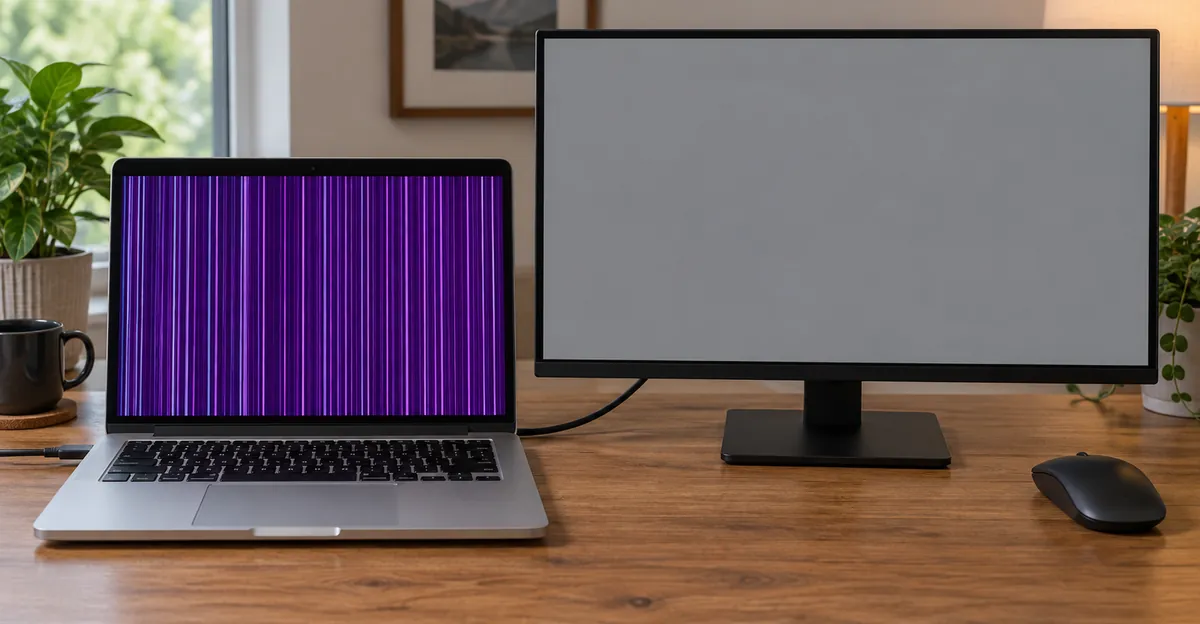
Setapp's external-display split is the check everyone already gives. Lines only on the built-in display point at that display. Lines on both displays point at the video card. iRepairs adds the caveat the split needs. A perfect external picture is typical when the image flex is damaged, and it means the logic board is not necessarily the cause. It does not by itself prove which part inside the lid failed. They still open the machine to see whether the cable can be rebuilt or the panel is gone too. Vividrepairs tells you to stop spending on a display assembly if the external monitor shows the same artifact. Bring photographs of both screens.
The lid check is one movement, not a session. Open or close until you see whether the line shifts, then leave the hinge alone.
When you have no second display
Setapp assumes you can connect a monitor or a TV. Many people cannot. The follow-up those pages leave open is the frame the Mac already composed.
Press Shift-Command-3 while the line is on screen. AirDrop or copy the file to a phone, or open it on another computer. You are not judging the photo of the glass. You are judging the file. If the purple line is inside the file, the Mac drew it before the image reached the panel. A failing video output belongs on the list, and a panel quote does not, until a second screen also shows the line. If the file is clean and the glass still shows the line, the panel path added the mark after the frame was done. That is the same split as a clean external monitor, using the screenshot as the second surface.
Vividrepairs' software path is real, and it is narrow. A graphics driver can get into a bad state after an update or a hard shutdown. Their test is Safe Mode. On an Intel Mac, hold Shift after the startup chime until the menu bar says Safe Boot. On Apple silicon, shut down, hold the power button until startup options appear, select the disk, hold Shift, and continue in Safe Mode. If the purple mark is gone there, they move on to an NVRAM reset and a macOS update. The Intel NVRAM combination they print is Command, Option, P, and R from a cold start, held through a second chime, or until the logo appears and disappears twice on machines without a chime. Apple silicon has no separate SMC combination in their account, or in Setapp's. Shut down, wait, and start again. Setapp's Intel SMC reset is left Shift, Control, and Option, plus the power button, for 10 seconds. An iMac uses the desktop procedure, unplug for 15 seconds, because it has no battery reset of that kind.
Those resets are a test you run when the mark might be software. They are not a treatment for bars that are already on the Apple logo. The owner of a 2020 M1 MacBook Air, A2237, told iFixit on 11 September 2023 that the lines were visible during the boot sequence, that they did not change with GPU load, that an external display was clean, and that there had been no recent OS update. Dark colors made them worse. A particular lid angle made them disappear. Nick's questions on that thread are the right gate. If the lines are on the boot screen, an update did not paint them. If they change with GPU load and never appear at boot, you still have a software question. If they are identical at idle and during the boot sequence, the update chapter is over.
Apple Diagnostics, which Setapp describes as holding the power button and then pressing Command-D on Apple silicon, or holding D at power-on on Intel, is useful when you already suspect hardware. Disconnect extra devices first. A display reference code is a reason to book, not a reason to keep resetting the SMC.
Pro, Air, iMac, and Apple Silicon
MacBook Pro, MacBook Air, and iMac share the search and not the mechanism. Match the pattern to the generation before you inherit a repair story from a different year.
MackTechs' model table is the 2016-2020 Pro list they actually see. The 13-inch 2016 and 2017 machines, A1706 and A1708, and the 15-inch A1707, are where Dustgate shows up beside Flexgate. The 2018 13-inch Touch Bar, A1989, is less common in their shop but still present. They also name A1990, A2141, and A2159 for 2018-2020, and they say those later Intel years show up less often. TechRadar's Panesar list overlaps that later group and adds A2251, A2289, and A2338, with A2141 the busiest. The two shops do not publish the same ranking. What they share is the hinge layout from 2016 onward, and a warning not to treat every colored line on every later Mac as this fault.
Repair Wiki's device line includes the MacBook Air Retina with the Touch Bar-era design, not only the Pro. The M1 Air thread is the case that makes that line concrete. Nathan's A2237, posted 11 September 2023, had large horizontal and vertical lines, a clean external display, and a lid angle that sometimes cleared the picture. DanJ's answer reduces it to the internal display assembly. He points at the early 2020 Air display-replacement guide and says to stop at the step where you can look for liquid and reseat the display cable. If that changes nothing, the assembly is the repair. Seven months later another owner, still hunting a steady angle on the same symptom, asked if the panel could be saved. DanJ's reply is that sub-millimeter soldering can repair a display assembly if you already have the microscope and the parts, and that with a replacement display in hand the swap is under an hour and is the cheaper use of the time. The owner who was still typing at a sweet spot in April 2024 had run that Air nearly around the clock since late 2020. A sweet spot had become the way the machine was used. That is the outcome iRepairs tells you to avoid.
Apple silicon is not one hinge story
A2338 sits on Panesar's 2018-2020 list. That is a 13-inch MacBook Pro with M1. TechRadar's "2021 onwards" sentence is about later Pros, the machines where the report says the flex protection changed. It does not erase A2338, and it does not answer the 2020 M1 Air. An M2 or M3 MacBook that shows purple lines still gets the same two checks, external screen and one lid movement. If the lines ignore the hinge and sit on both displays, you are not in the Dustgate quote. If they shift with the lid and the external screen is clean, the age of the chip does not put you back in a software update.
An iMac has no clutch and no lid-angle test. Setapp still groups iMac lines with MacBook lines under damage, hardware, and software, and its desktop power reset is the unplug procedure, not the laptop key combination. If the iMac and a second display both show the line, Setapp's video-card reading applies. If only the iMac panel shows it, you are buying that panel, not a hinge cable. A purple edge that is actually the bezel, a window shadow, or the side of an external display's menu is not a column fault. Confirm it remains when you hide every window on a solid color.
Do not paste the Flexgate backlight story onto a machine that still shows a purple picture. TechRadar is explicit that Apple had acknowledged the backlight fault and, as of that November 2023 article, had not acknowledged Dustgate. MackTechs repairs the two cables differently. The backlight failure is a light band or a panel that dies past an angle. The image failure is lines and bars. Quoting the 2016 stage-light program at a 2019 or an M1 because the lid angle matters will buy the wrong explanation, even when the repair is still a display.
What the Repair Quote Is Actually Buying
Purple lines on a MacBook screen follow the part, not the word purple. These are the figures the fetched pages actually print. They are shop prices and a part listing, not a promise that your city matches them.
| Pattern after the tests | Cited price | Keep the original panel? | Keep working today? |
|---|---|---|---|
| Angle-shifting vertical color bars, external screen clean, cable damage still local | iRepairs, indicative flex repair 220 euros before 2019, 290 euros from 2019, 6 months on the compatible part. The page also offers up to 12 months on the repair in its warranty banner | Sometimes. If the LCD is also damaged, they replace the display | Stop cycling the lid. The line tends to spread |
| Same Dustgate picture, shop that stopped jumper repairs | MackTechs panel replacement, 299 dollars for 13-inch 2016-2017, 349 for 13-inch 2018-2020 Intel, 449 for 15-inch 2016-2020, 399 dollars and up for 16-inch A2141, with 1 year on the work | A new panel. Housing, hinge, antennas, and camera stay. They will not jumper the old cable | Same. Do not keep opening past the angle where the image dies |
| Apple display assembly, as MackTechs describes Apple's quote | 475 to 900 dollars, 90-day warranty on the repair | Not in that quote. The assembly goes | You can use an external screen while you wait |
| Part listed on the 2021 purple-flicker answer | 349.99 dollars for a late 2016-2017 13-inch assembly, parts price on that iFixit page | The assembly in that listing | Only if you can see a picture. The backlight is already ruled out by that picture |
| Display replacement when the row is in the glass | Setapp's Mike, 300 to 800 dollars | Rarely. The row is in the glass | You can work around a thin stable line. It will not heal |
| Safe Mode clears it, login window was already clean | No part | Yes | Yes, after the update, and watch the next sleep |
| M1 Air sweet spot, external clean | DanJ, a display swap rather than a microsolder session | No, in the answer he actually recommends | Only at the angle that still works, which is getting narrower |
The disagreement between iRepairs and MackTechs is the decision the other pages leave open. iRepairs will rebuild the flex when the damage is local, and they say the usual proposal, a whole assembly, is the expensive version of the same fault. MackTechs used to jumper broken data lines under a microscope and stopped. The repaired cable sits in the same dust path that cut it, and the fix did not last the way they want a warranted repair to last. A case they describe from the jumper era, a 2017 A1708 with moving bars and no cracked glass, would be quoted today as a panel. Ask which of those two repairs the price is for. A flex price that assumes the cable can be saved, and a panel price that assumes it should not be saved, are not quotes for the same outcome.
Repair Wiki adds a detail you should hear before you celebrate a flex repair. After the cables are replaced, a flickering screen for 10 to 20 hours of display use can be normal. They suspect a sync mismatch from a slightly different cable impedance, and they see the same flicker after a timing-controller firmware reflash. It clears on its own. The repair is specialist soldering. Cables break if they are bent near the joint, and 15-inch and 16-inch cables have a longer grounding pin than the smaller sizes. That is not a Saturday screwdriver job. DanJ told the M1 Air owners the same thing in plainer words. With the tools and the microscope, maybe. With a display in hand, the swap is the sensible hour.
Vividrepairs will reseat a connector if you already work on these machines, and they tell everyone else not to open the lid. A torn cable during a look-around turns a rebuildable fault into an assembly. Their bezel-pressure check is a light touch on the frame, not on the panel, and only as a last confirmation that movement changes the spot. MackTechs' impact rule is why that touch should stay light. A machine that was squeezed or dropped is, in their shop, an LCD job, not a dust job. If the Mac might still be covered, one photograph and one tilt are the entire home test. Pressing the glass, blowing out the hinge, or cycling the lid to hunt a clear angle is how a cable fault picks up a damage story.
TechRadar's warranty note is narrower than a slogan about AppleCare. As of 15 November 2023, the models in the Dustgate reports were already past the point where most owners still had AppleCare, and there was no acknowledged repair program for the image-flex fault to match the backlight program. Contacting Apple is still the step they suggest. It is not a published price of zero. Check the serial on your own machine rather than inheriting that 2023 sentence if the Mac is newer than the list.
What to put in front of the shop
Bring five facts, not a paragraph about purple.
- The model identifier and serial from About This Mac. A1989 and A2338 are not the same quote.
- A dated photo of the line on a white full-screen page, and one on black.
- The screenshot file, so the shop can see whether the line is in the frame the Mac composed.
- One sentence on lid angle, including "no change," and whether an external screen matches.
- Any Apple Diagnostics reference code, plus whether the mark is already on the boot screen.
That pack is what stops a default assembly quote when the cable is still rebuildable, and it is what stops a display quote when the file proves the Mac drew the purple before the panel. Ask the shop to write the failed part down before you approve the price. iRepairs' own split is the question to ask. Can this flex be rebuilt, or is the LCD already damaged? MackTechs' question is the follow-up. If you rebuild it, the cable goes back into the same dust path. Are you warranting that?
While you wait, do not close the lid on a charger, a cable, or a paperclip. Do not flap the hinge to see if it is better today. If the only purple is on an external display, change that cable before anyone prices a MacBook panel. Setapp's external-cable check is disconnect, inspect the port, and try another cable. A worn adapter is a cheap experiment. It is not a display assembly.
Related Guides
- Blue Lines on Mac Screen: A single blue stripe vs mixed Dustgate bars
- Black Line on a Mac Screen: A dead row that never flashes purple
- Green Line on Screen: Green painted on the desktop, menu, and a photo
- Laptop Screen Lines: Windows lids, same tilt test
- Internally Cracked MacBook Screen: Flexgate-era hinge faults
- MacBook Screen Issues: Stains and cracks, not colored bars
Conclusion
Purple lines on a MacBook screen split by direction, by whether one tilt of the lid changes them, and by whether a screenshot file contains them. Vertical bars that shift with that tilt are the image flex, the fault TechRadar and the repair shops call Dustgate. A horizontal band that ignores the hinge is in the glass, unless a cold morning softens it on an Intel Pro of the years DanJ described. A spot that vanishes in Safe Mode is a graphics state. A spot that also appears on a second screen is the video output. An iMac has no hinge test. A 2020 M1 Pro in the A2338 list is not covered by a sentence about 2021 machines.
Run a full-screen white and black pass in the Screen Test, save the screenshot file, and take that evidence to the quote. The color in the search box is not the part you are buying.