Spots on Mobile Screen: Sort the White Mark First
Spots on a mobile screen are marks that stay on the same glass coordinates while the picture underneath changes. The phrase covers a white glow, a blue patch, a pink stain, and a yellow bruise, and those marks do not share a repair. Search demand clusters on the generic words and on white spots, so this page starts there. A color-by-color sort of blue, white, pink, and black as equal chapters lives on the spots on a phone screen guide. Use that after you know the mark is not sitting on the glass and is not a dot the phone is drawing.
This guide is the mobile-screen entry. It shows the panel-off look that catches protector bubbles, the white-spot split between an LCD light leak and an OLED speck, and the decision that remains after someone has already told you to replace the screen. Blue and pink get a short exit, not a second encyclopedia. A soft bright glow has its own deeper page. So do white, pink, and OLED black marks.
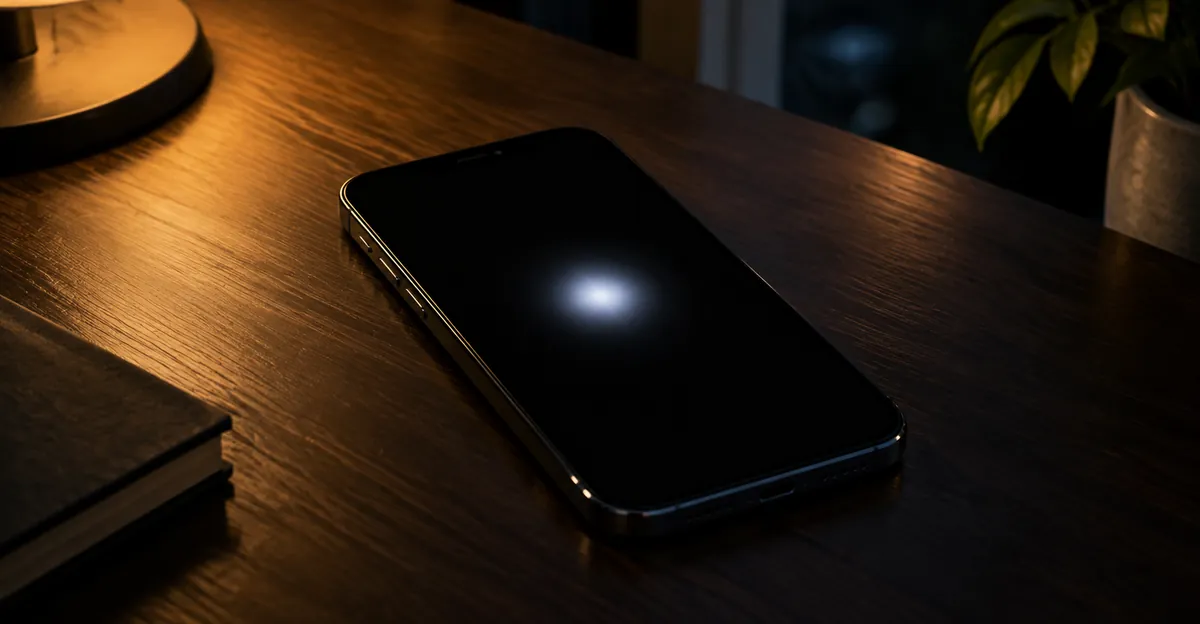
What Spots on a Mobile Screen Actually Are
A spot is local. The rest of the panel still looks normal, and the mark does not slide when you scroll. That already separates it from a full-screen tint, a night-light shift, or a blue-light filter. Guides that title themselves around spots and then jump straight to a new display skip the split that decides whether you should buy one. The useful split is by edge, size, and whether the mark exists when the panel is dark.
A hard pinprick the size of one pixel behaves like a subpixel fault. A soft blotch the size of a fingertip behaves like crushed layers, a dented backlight film on an LCD, or moisture. A mark with a tide line after a spill behaves like liquid between layers. Edge glow that fades into the bezel on an LCD is often backlight bleed, which is a different complaint from a spot in the middle of the picture. Dust on the outer glass moves or vanishes when you wipe it. Dust trapped inside a bonded stack does not.
Panel type changes the physics, and brand is not a shortcut. Recent flagship phones are usually OLED or AMOLED. Many older and budget phones, and many tablets, are still IPS LCD. The same company sells both. Look up the exact model and read whether the spec says OLED, AMOLED, or IPS LCD before you interpret a glow. An LCD is lit from behind by a film stack. An OLED makes light in each pixel and has no diffuser to leak. Pressure on an LCD often makes a bright cloudy patch. Pressure on an OLED more often makes a dark, pink, blue, or green area. The same stack rules apply to a tablet that uses the same panel type. Neither outcome is guaranteed after a hard knock.
The check that cleaning writeups raise and then leave thin is the panel-off look. A white, silver, or rainbow patch that is still there with the display dark, and that changes as you tilt the phone, is usually an air gap in a protector or a film on the glass. A fault inside the module glows only when the panel is on, stays on the same physical point through every app, and does not wipe away. People pay for display replacements they did not need because nobody looked with the panel off. Do that look before you open a color chart.
Use this field map before you pick a fix. It is a triage, not a lab certificate. Run it at high brightness in a dim room after the case is off, and after a third-party protector is off.
| What you see | Clearest check | Working label | Honest next step |
|---|---|---|---|
| Soft glow, easiest on black, absent when the panel is off | Black field, then power off | LCD pressure or backlight film | Assembly quote, do not press |
| White, silver, or rainbow patch that shifts with angle | Panel off, lamp at an angle | Protector air gap or surface film | Refit or replace the protector |
| Hard white or colored pinprick | Black if it glows, white if it looks dark | Stuck or dead subpixel | Short color-cycle test only if it is one speck |
| Soft blue, purple, or pink patch | White field | Layer damage, often after pressure or a drop | Photo today, then the color pages |
| Yellow bruise after heat, or a frame that lifts | White field plus the chassis | Adhesive, heat, or battery pressure | Stop charging if the frame lifts |
Ranking pages tend to stop after clean, restart, and replace the screen. That list is the floor. It does not tell you which row you are in, and the row decides whether a protector, a pixel page, a warranty visit, or doing nothing is rational.
White Spots on Mobile Screen
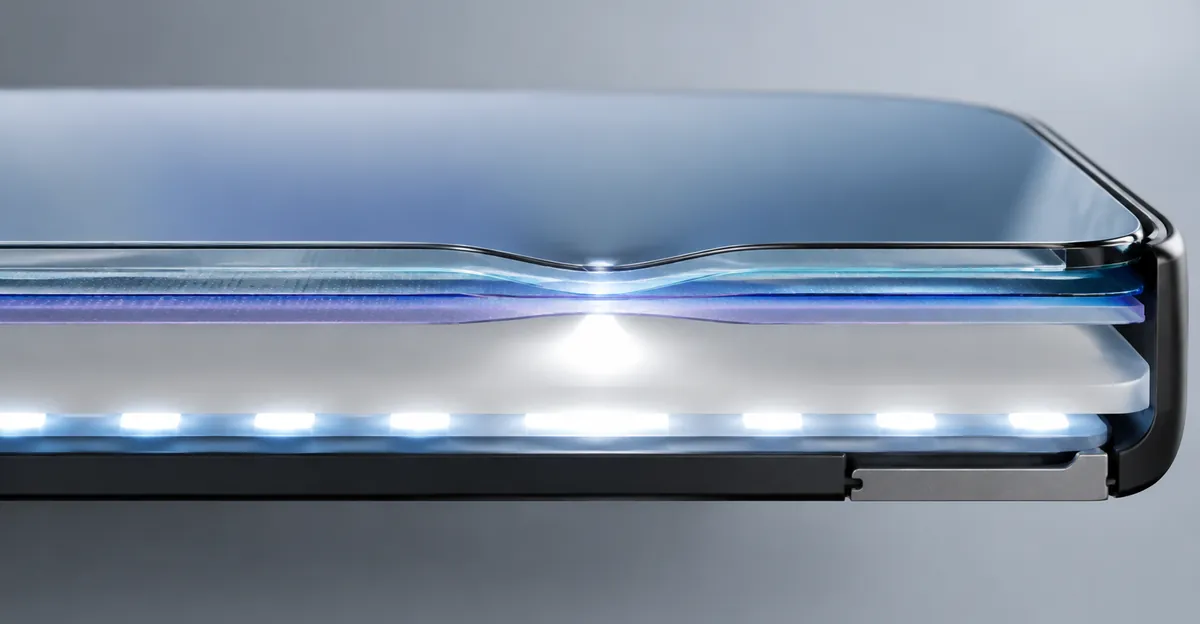
White spots on a mobile screen are the high-volume case, and they are not one fault. A white mark may be dried residue, a failing protector, worn coating, a stuck pixel, LCD pressure, moisture, an internal OLED defect, or a battery pushing from behind. Cleaning solves only the marks that sit on the glass or in a film you can remove. If you want the longer white-spot writeup after this sort, use the white spots on a mobile screen guide. A glow that is bright rather than a pale patch belongs with a bright spot on a phone screen.
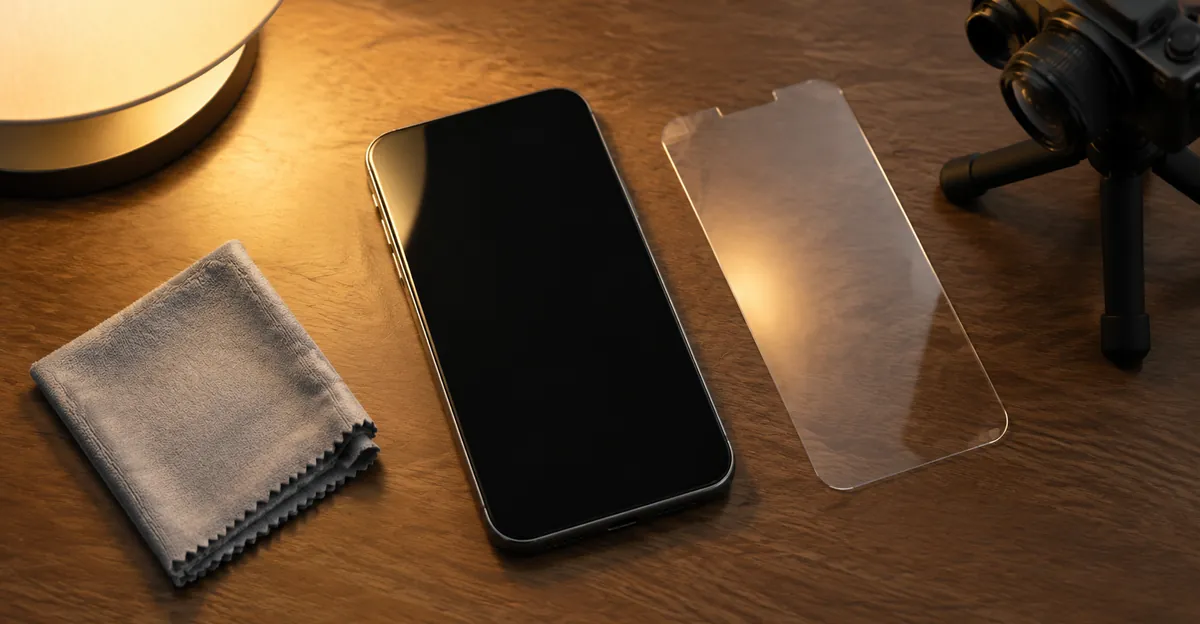
Do the free exclusions in order. Power the phone off and unplug it. Remove the case. Look at the mark at an angle under a lamp with the panel still off. A tempered-glass protector can lift at an edge, separate around a speck of dust, or lose adhesion after a knock. Light reflects through the tiny air gap and makes a white, silver, or rainbow patch. If you see a boundary around the mark, or the patch sits above the pixels and changes sharply as you tilt, the protector is the prime suspect. Peel a third-party film and look again. Do not peel a factory film off a foldable as a casual test. Some makers publish their own wipe rules, including alcohol wipes on certain glass. Follow the page for your model. The shared rule is that liquid belongs on the cloth. Use a clean, dry microfiber first. If the mark remains, dampen one corner of the cloth with a little distilled water. Never spray the phone. Wipe once, then dry with a clean face of the cloth. If the mark disappears, it was on the glass.
If the white area stays in the same physical place, glows only when the panel is on, and is easiest on black or gray, cleaning is finished. On an LCD, the panel does not create light at each pixel. LEDs feed a guide, and optical films spread that light before the liquid-crystal layer decides what you see. Pressure from a tight case, a pocket, or a drop dents a film, and extra light escapes as a soft white patch. Factory unevenness of that kind is sometimes called mura. The useful point is simpler. The blemish lives inside a laminated module. Pressing it may change the spacing for a moment. That experiment is not a repair, and it adds stress to glass that is already dented. A white-spot repair note puts the same glow on a black field down to a pressure dent in the reflector or diffuser, often after a drop, a bag, or dust trapped when a replacement panel was fitted. The patch is usually soft-edged. On many LCD phones it can enlarge slowly over months if the layers keep separating. It is not a stuck pixel.
On an OLED phone there is no backlight and no diffuser to leak. A hard white dot can still be a stuck subpixel, because a cell that stays on looks bright against black. A soft white patch that spreads is damage to the panel itself, and cycling colors will not rebuild it. Brand does not tell you which engine you have. Look up the model.
Two Android white dots are not panel damage at all. A white dot that follows your finger is the developer option Show taps, under Developer options, then Input. Turn it off. A tiny white dot in the status bar can be an overflow indicator when notification or system icons do not fit. That dot is a UI behavior. A new screen will not remove it.
Pixel-fixer apps and sites flash colors for about ten to twenty minutes over a speck. Repair writeups limit that trick to a stuck pixel, where the cell still responds. A cracked diffuser, backlight damage, or a soft pressure cloud has nothing for the app to toggle. On OLED, a stuck subpixel can still look like a bright dot, but there is no liquid crystal to realign, and published evidence that cycling repairs OLED emitters is thin. Guides still tell people to press the white spot with a cloth or an eraser. The stronger sources say the opposite. You cannot know whether you have debris or a pressure dent until the off-state look and the black, white, and gray fields are done, and pressure is the action that enlarges an LCD dent. Heat and freezing are unsupported, and a cold phone brought into a warm room can condense inside a sealed body. If none of the exclusions cleared the mark, the remaining path is a screen assembly at a shop that can fit the right part. That is the boundary of what you can do for white spots on a mobile screen at home.
Blue Spots and a Pink Spot on a Mobile Screen
Blue spots on a mobile screen, and the singular blue spot, are a defined area with normal color around it. A blue cast across the whole panel is a different fault. The whole-screen cast is usually night mode, a color profile, a filter, or a failing connection, and it is often free to undo. If a solid white field is blue only in one region, keep reading. If the entire white field is cool, change display settings before you price a panel.
On the local mark, published repair notes describe four physical causes and then say the same thing about software. Sitting on the phone, a tight pocket, or a squeeze in a bag deforms the liquid crystal or the OLED stack, and the patch is often soft and shaped like the pressure. A drop can crack inner layers while the outer glass stays intact. Blue or purple bloom from a corner is the classic impact signature. Moisture that reached the layers dries into blue or purple patches, sometimes with a visible edge. On an LCD, a separating polarizer or backlight film can shift color in one zone. None of those four is an app, a setting, or a factory reset.
A single hard blue dot is the exception inside this color. Display makers describe a bright subpixel as one color stuck on, easiest to see on a dark field. A fingertip-sized soft patch that is more obvious on white is not that fault. Color-cycling pages are aimed at the stuck speck. They do not rebuild a crushed layer. Take the protector and case off first, using the same off-state look as for a white mark. A bubble or a dyed film can imitate a blue or purple patch and costs nothing to rule out. Pressure marks often stay about the same size. Impact bloom commonly covers much more of the screen within weeks. Photograph the patch on white today and again in seven days. The longer color sort, including how blue and purple trade places as one fault grows, is on that phone-screen guide.
A pink spot on a mobile screen should not be forced into the white or blue story. On OLED it is common after pressure, heat, or moisture. Technicians sometimes call the crushed organic layer ink, because a pink or magenta stain spreads from the damage point as the seal fails. OLED panels do not contain liquid crystal. What people call a leak is damaged emitters that stop making light, not fluid running under the glass. On an LCD the same color is more often a cracked backlight or polarizer and looks lighter and more diffuse, often near an edge. Heat from a car, a game while charging, or a pillow over a charging phone can shift color until the phone cools. That temporary shift is not the same as a stain that is still there the next morning. The longer pink writeup is pink spots on a phone screen. A growing dark blotch, rather than a pink one, belongs with black spots on an OLED screen once you know the panel is self-emissive. A Galaxy Note 8 or S8 blotch is the Samsung black spot path.
One low-brightness pattern is not damage. Samsung's support note on discolored areas says that at low brightness, dark regions may look stained or slightly green, and that this can be normal on its OLED panels because each pixel makes its own light and small differences show up in the dark. The same warning applies when a wallpaper looks faintly blue only at the lowest setting. Raise brightness, switch to a flat white field, and look again. If the patch vanishes, do not price a panel. If the same patch is obvious on flat white at full brightness, it is not that normal variation.
Screen Off, a Screenshot, Then Flat Colors
Most spot articles open a white image and stare. White is the right field for dark debris, dead pixels, and colored patches. It hides anything that glows, because the surround is already at full output. Black shows stuck-on subpixels, LCD pressure clouds, and backlight bleed. Mid gray shows wear that clips to invisible at pure black or pure white. You need all three, plus red, green, and blue if the mark might be one subpixel. Do the panel-off look before any of those fields. A protector bubble will otherwise waste the rest of the hour and send you toward a quote.
Before the colors, take a screenshot while the spot is visible and open that image on another phone or a computer. If the mark is in the picture, the phone drew it. Check filters, accessibility cursors, screen recorders, and, on Android, Safe mode. Safe mode loads the original software and disables downloaded apps. If the mark is gone there, uninstall recent apps. If the mark is missing from the picture and still on the glass, the framebuffer is clean and the physical display path is not. People who skip this step replace panels for an overlay, or run pixel apps at a dent that no app can see. A hardware white glow will be absent from the screenshot even when it is obvious on the glass. That absence is the result you wanted, not a failed test.
Then clean what you have not already cleaned, and only then fill the screen. Protector off, case off, dry microfiber, restart, pending update installed. Check the glass for a crack or a damaged coating. Those are outside the panel and need their own repair. Fill the screen with flat white, flat black, and a flat mid gray at maximum brightness. Hide the browser chrome. Discard gradients. Rotate the phone. A hardware mark stays on the same glass point while the picture rotates. A mark that rotates with the image is content or an overlay. Samsung phones can open solid colors with the dialer code *#0*#. A saved full-screen image works on every phone, including iPhones, which do not ship that diagnostic menu.
Write down what the fields did. Soft glow only on black points to an LCD light leak or pressure stack. A colored patch that is obvious on white and fades on black points to layer or OLED damage. A black speck on every bright primary points to a dead pixel. A single colored speck on black points to a stuck-on subpixel. Angle changes on a dark panel can suggest a separating film or liquid. Stop if you are tempted to press beside the mark to see if it moves. A gentle observation is not a massage. If the phone was wet, power it down when you can and do not keep charging it while you collect more test photos.
Use a second camera for the record. The phone's own screenshot will miss a hardware glow, which is the point of the first test. Shoot the panel off, then black, white, and gray in a dim room. Fill the frame, avoid reflections, and put a coin or card in one frame for scale. Note the model, the date, and whether there was a drop, a hot car, a spill, or a recent third-party screen. Repeat the same frames in seven days. That packet is what a desk uses. It is also how you catch a bloom that memory will underestimate.
- Case off. Protector off, unless it is a factory film on a foldable.
- Panel off, lamp at an angle. Note a boundary, a rainbow, or nothing.
- Screenshot opened on another device.
- Flat black, white, mid gray, then red, green, and blue.
- Note size, edge, color, and whether the mark follows the glass.
- Check lift, heat, cracks, flicker, and dead touch near the mark.
- Save dated second-camera photos before any shop visit.
Use It, Claim It, or Replace the Panel
After the tests, generic articles say replace the screen. The decision you still have is narrower than that, and it is the follow-up those pages leave hanging once they have said the word hardware. There is no loose pixel sitting on a board that a technician unsolders. The cell is part of a sheet. Trapped internal debris sometimes cannot be cleaned without replacing the module. Ask the quote whether the job is a full display assembly. On many phones that assembly includes the glass and the digitizer. A claim that a small white spot can be fixed by opening one layer, without a new panel, needs a written explanation before you pay. If a third-party screen was fitted just before the spot appeared, take it back to that shop first. Dust under a new panel is a fitting fault. It is not a new disease in glass you already owned.
A yellow spot on a mobile screen is the same decision with a warmer color. How to fix a yellow spot on a mobile screen starts by throwing out a whole-panel tint. If every white page looks warm, turn off night mode, eye comfort, and a blue-light filter, then restart. If one patch stays yellow on a flat white field, the usual physical stories are pressure, heat-aged adhesive between the layers, moisture, or a cell pushing from inside. Let a hot phone cool on a hard, ventilated surface for a couple of hours. Do not put it in a refrigerator. Condensation inside a sealed body is a second fault. If the yellow patch is still there the next morning, cooling did not fix it, and pressing the glass will not either. Some heat-mark pages still suggest a circular massage. Treat that as the step to skip. The longer yellow writeup is a yellow spot on a mobile screen.
| Situation | Path | Why |
|---|---|---|
| Mark is inside the screenshot and gone in Safe mode | Remove the app or overlay | A new panel will not erase a drawing |
| Visible with the panel off, or gone after the film comes off | Refit or replace the protector | The panel was never the fault |
| One stable speck at the edge, old phone, touch normal | Live with it | The quote can exceed what the phone is worth |
| Soft white glow on black after the protector is off, not growing | Quote when it annoys you | LCD film damage is often stable, and still hardware |
| Blue, purple, or pink bloom after a drop | Repair before it spreads | Impact stains commonly grow within weeks |
| Yellow patch still there after the phone has cooled | Assembly quote, unless the frame lifts | Heat-aged adhesive does not unwind overnight |
| Present from new, no impact, coverage active | Manufacturer inspection | The defect path is the one that can be free |
| Frame lifting, heat, rocking on a flat table, or a spill | Stop charging and get service | Battery or corrosion, not a cosmetic wait |
| Lines from the spot to the bezel, or touch dies | Assembly or a new phone | Driver, bond, or panel, not a pixel app |
A swelling cell changes the safety rule for every color on this page. White, yellow, or pink patches plus a screen or back that lifts off the frame, a phone that rocks on a flat surface, a clicking seam, or unusual heat mean stop charging and stop pressing the glass flat. Heat is optional. A swelling cell can do this alone. Do not keep using that phone to finish the color fields.
Warranty language is blunt across the pages that publish it. Manufacturing issues inside the base term can be covered. Pressure, cracks, and liquid are treated as accidental even when the outside looks unmarked. Makers often do not print the acceptable number of spots. You cannot settle coverage at the kitchen table. Check the serial number on the maker's coverage page before you book, and do not assume a spot qualifies because it is ugly.
What to carry is the part other guides skip. Bring the model, a coverage screenshot, dated second-camera photos of the panel off plus white, black, and gray, one frame with a scale object, and a one-line history. Say whether the glass is unmarked. Say if the phone was sat on, dropped, soaked, left in a hot car, or fitted with a third-party screen. That packet is how a defect claim stays distinct from accidental damage. Without it, the desk only has your memory and a mark that may look like pressure.
Keep using the phone when the spot is small, stable, cool, dry, and away from a lifting seam, and when touch around it still works. Stop when the patch grows week to week, lines run to the edge, the chassis lifts, the phone runs hot, or it got wet. Do not run hour-long flashing videos at full brightness on an OLED soft stain. Do not open the phone. Do not freeze it. A case with a raised lip, and a pocket that is not your back pocket, prevent more spots than any setting does. They do not heal a mark that is already in the stack.
Related Guides
- Spots on a Phone Screen: Color-by-color sort of the same family
- Black Spots on an OLED Screen: Dead emitters vs burn-in
- Samsung Black Spot: Note 8 and S8 ink blotches
- Bright Spot on a Phone Screen: A glow, not a pale patch
- Pink Spots on a Phone Screen: Magenta pressure marks
- White Spots on a Mobile Screen: The high-volume white case
Conclusion
Spots on a mobile screen are a family of faults sorted by a panel-off look, a screenshot, and three flat fields. White spots on a mobile screen are usually glass, a protector, an LCD light leak, or a stuck speck, and only the first two come off with a cloth. A blue or pink patch after pressure or a drop is layer damage and can spread. A yellow bruise that survives a cool-down is adhesive, pressure, or a cell pushing from inside, not a night-mode slider. Pressing the glass is the step that makes several of these worse.
Document the mark, compare it in a week, and treat a lifting frame or a wet phone as a stop. When you need flat black, white, gray, and primary colors without hunting for images, open the free Screen Test tool and save the photos before you talk to a shop.
Sources
- White marks, the panel-off look, protector air gaps, mura, and why pressing is not a repair: Gadgets Now
- Show taps, stuck-pixel tools, and LCD pressure from a tight case: Beebom Gadgets
- White glow on black, replacement-panel dust, and what not to rub: screendefect.com
- Blue spot causes, spread, and the software exclusion: screendefect.com
- Screenshot split between a drawn dot and a panel mark, plus low-brightness OLED variation: aitoolsprimer.com
- LCD versus OLED field tests for bright spots, dead pixels, and bleed: ResizeMyImg
- OLED stains are damaged emitters, not liquid crystal: MoPhoneParts
- Yellow patches, night mode, heat, and pressure: 360techguide.com